Tier 1 · Safety issue
Evidence of real harm
Declared allergens, banned-elsewhere additives, residues above limits. Surfaced first, always.
iPhone & iPad · Food label scanner
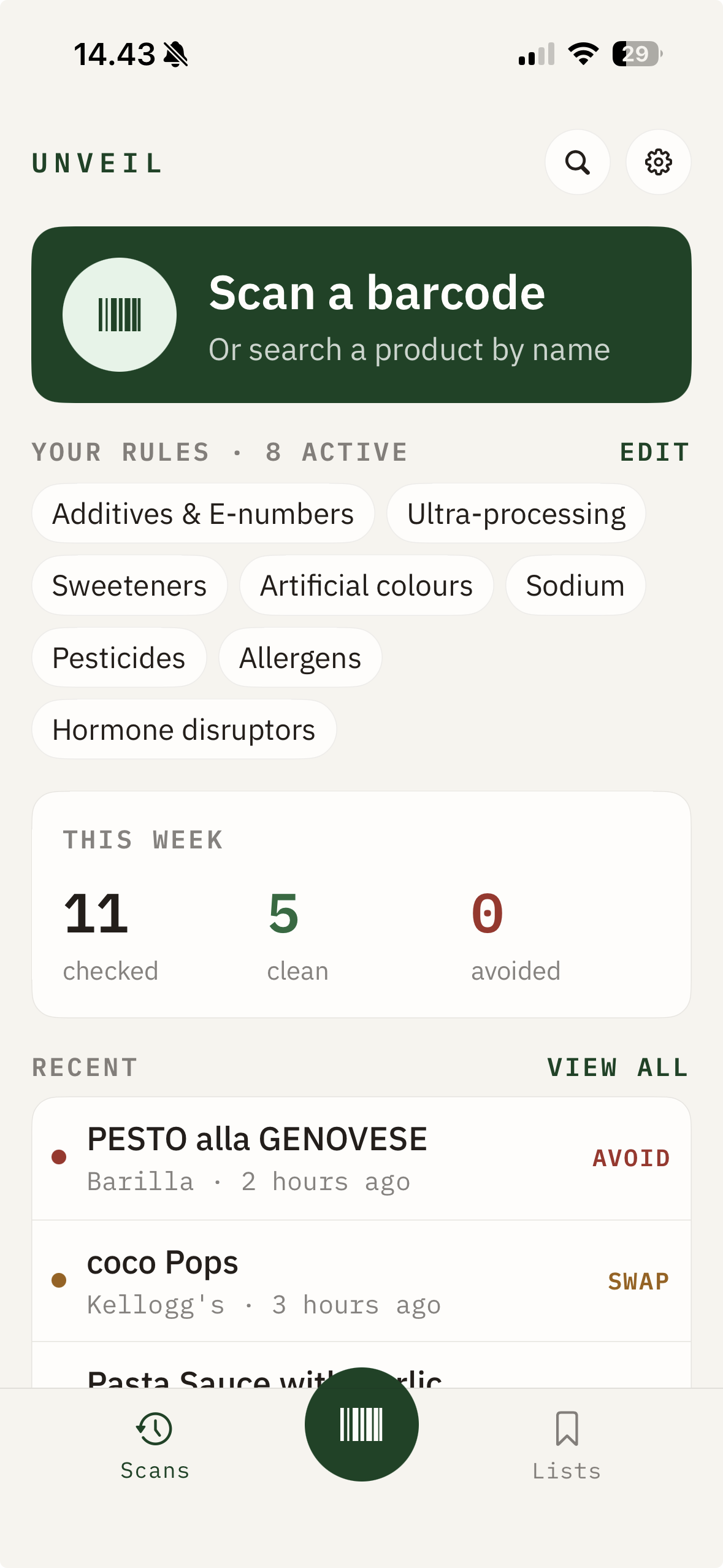
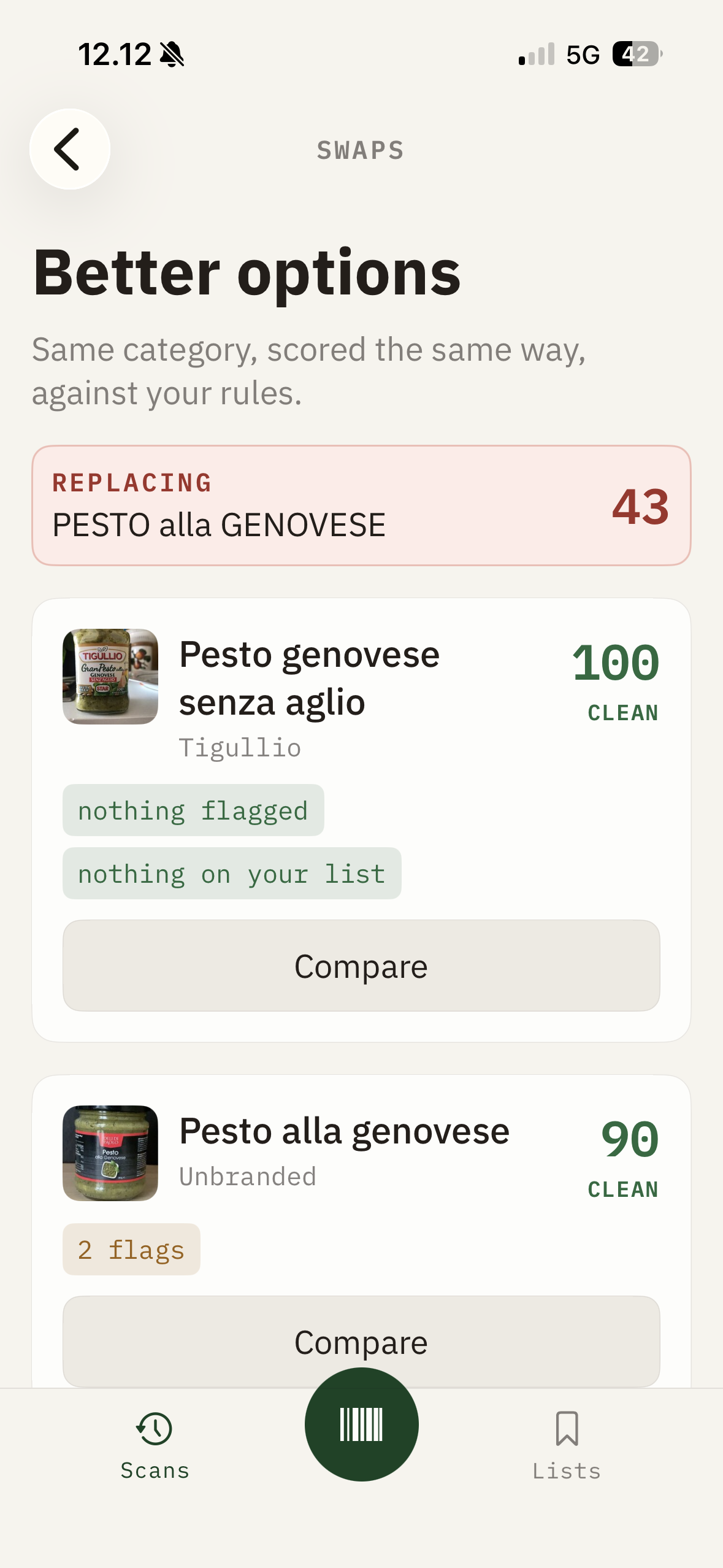
Point Unveil at a barcode and you get one word back — then the reason in a single sentence, then something better you can actually buy. You can be done before the trolley stops moving.
Free to use
Premium unlocks unlimited scans
Not every flag deserves the same alarm
Show it beside something that genuinely matters and the score stops meaning anything — and you stop believing any of it. Unveil ranks every finding by the weight of the evidence behind it, into three tiers.
Allergens always come first, because they're the only thing on the screen that can put someone in hospital. And we say what's fine out loud.
Tier 1 · Safety issue
Declared allergens, banned-elsewhere additives, residues above limits. Surfaced first, always.
Tier 2 · Worth knowing
Ultra-processing, salt, added sugar, sweeteners. Context, not alarm — and shortfalls like low fibre are marked low, not dangerous.
Tier 3 · Simply fine
E330 lives here. A scanner that can only find fault isn't informing you.
Six screens · that's the whole app
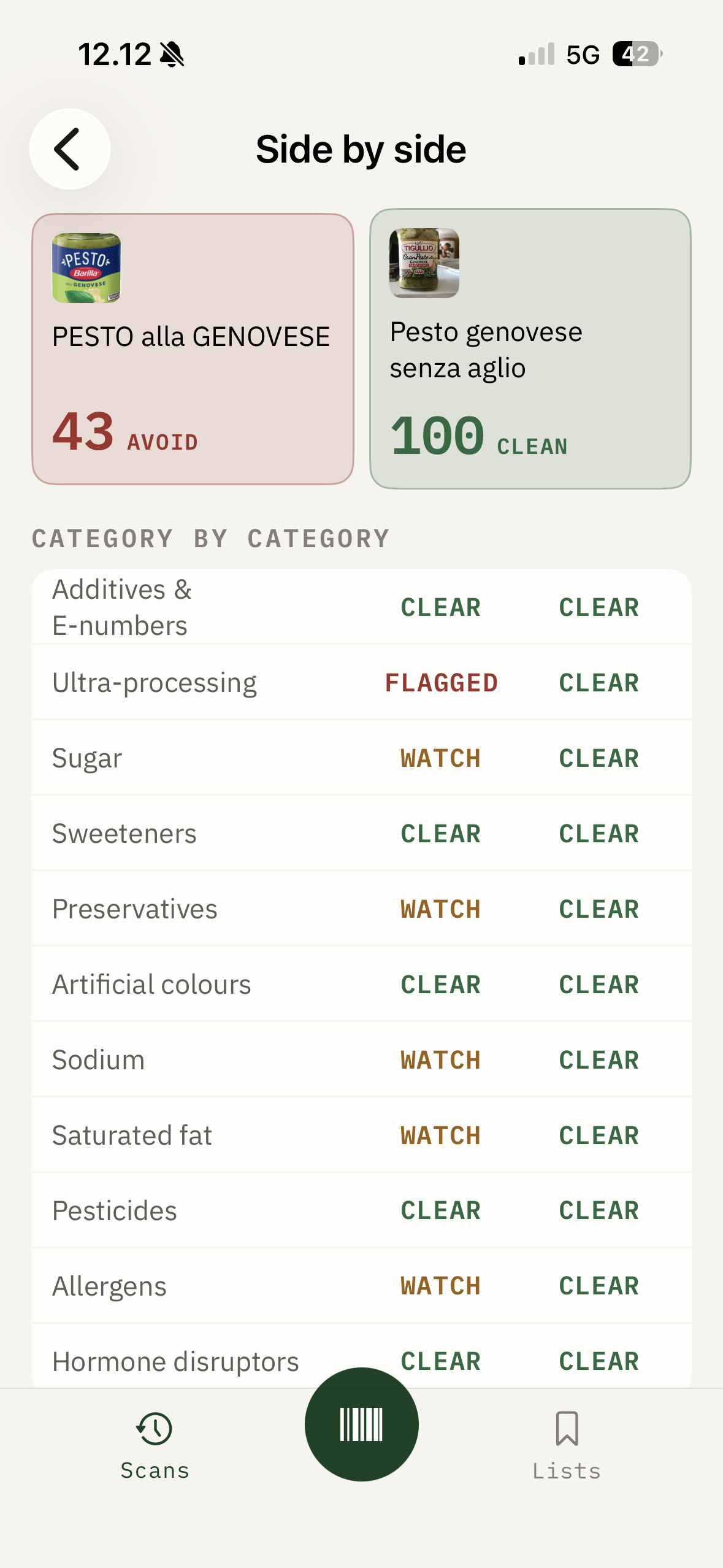
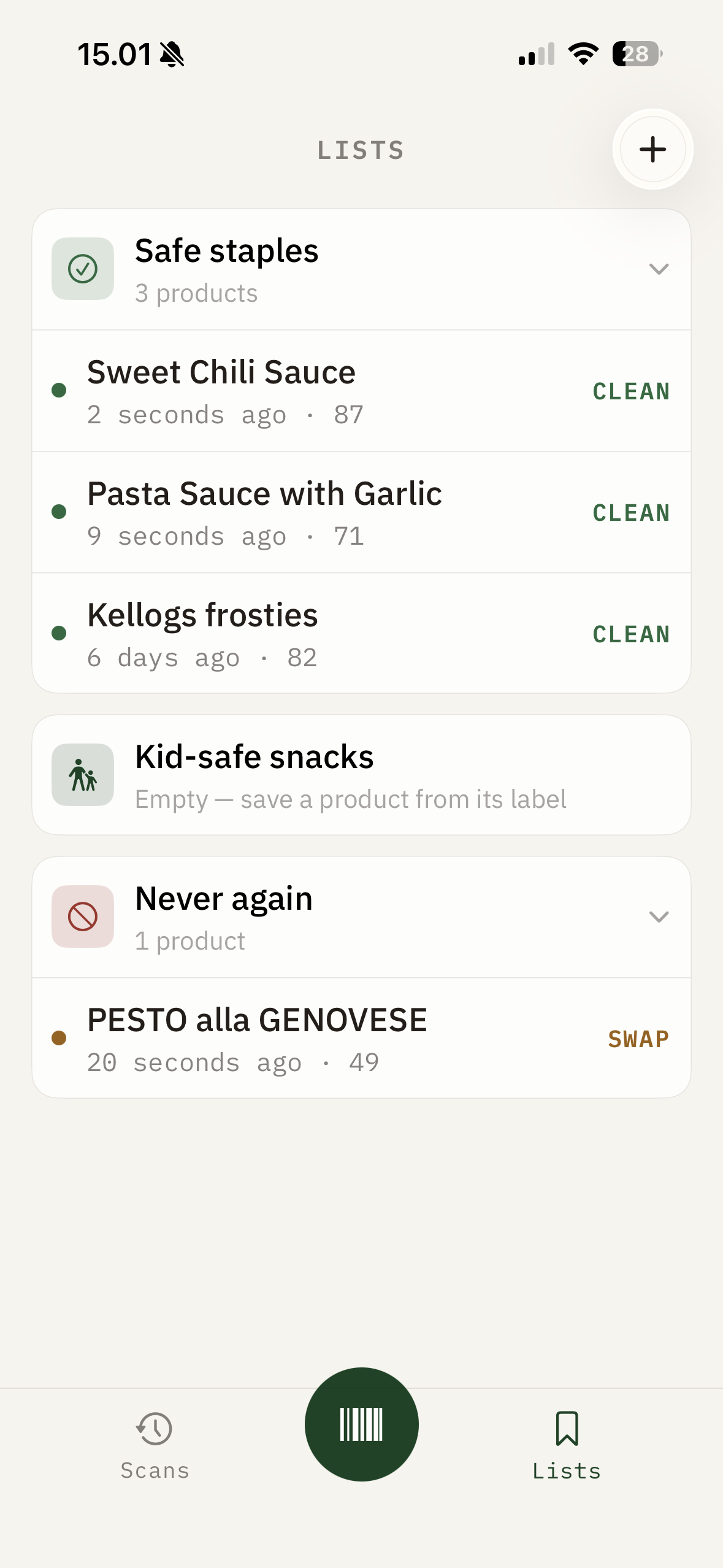
Your rules, not ours
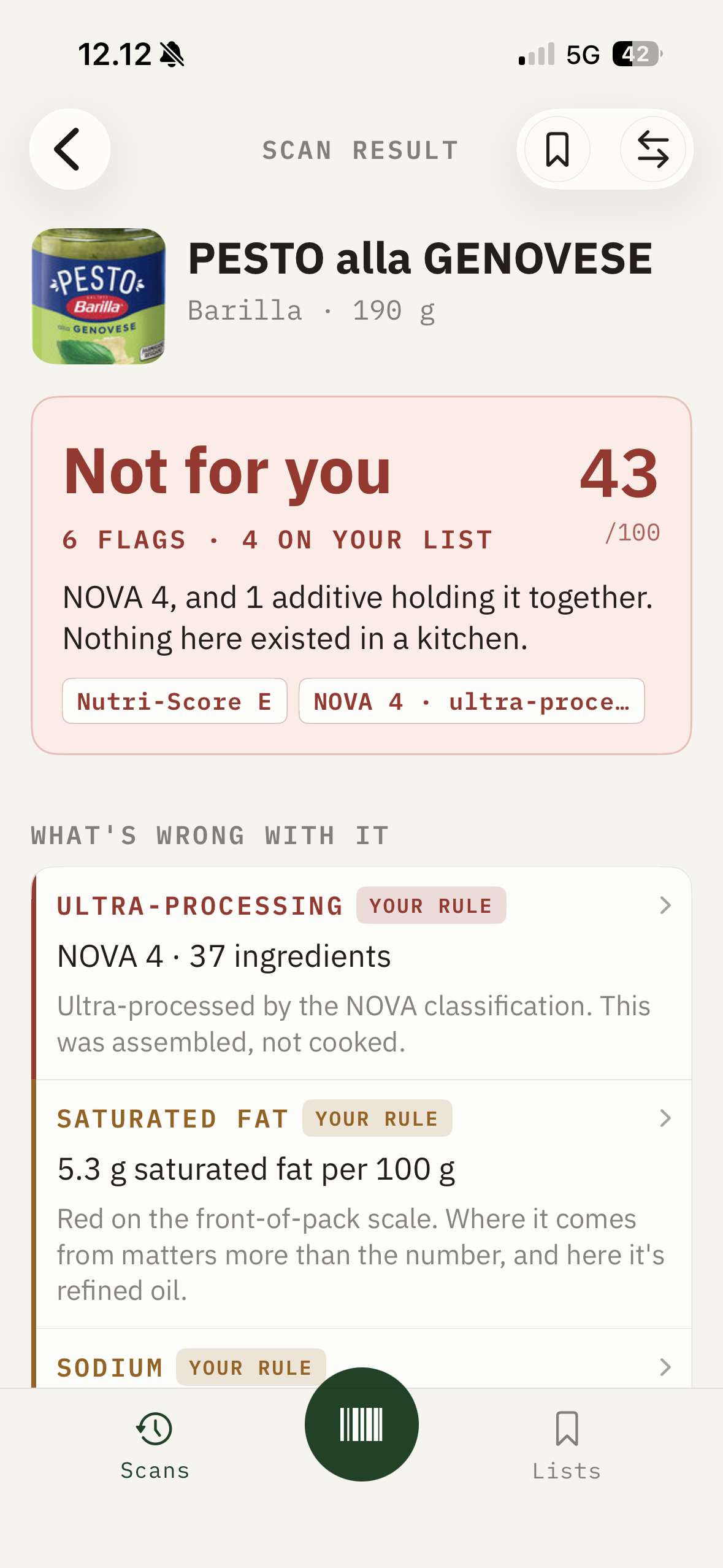
No sweeteners. Watch salt. Milk, for a child who reacts to it. Choose relaxed, balanced or strict — and see exactly what changes.
Try it — toggle the rules below
Pesto alla Genovese
190 g jar · 37 ingredients
not for you
6 findings · 1 safety-tier · balanced
35
/100
What that's made of
A demonstration of the model, using one real jar. In the app, the weights and sources behind this sit one tap away under How we score.
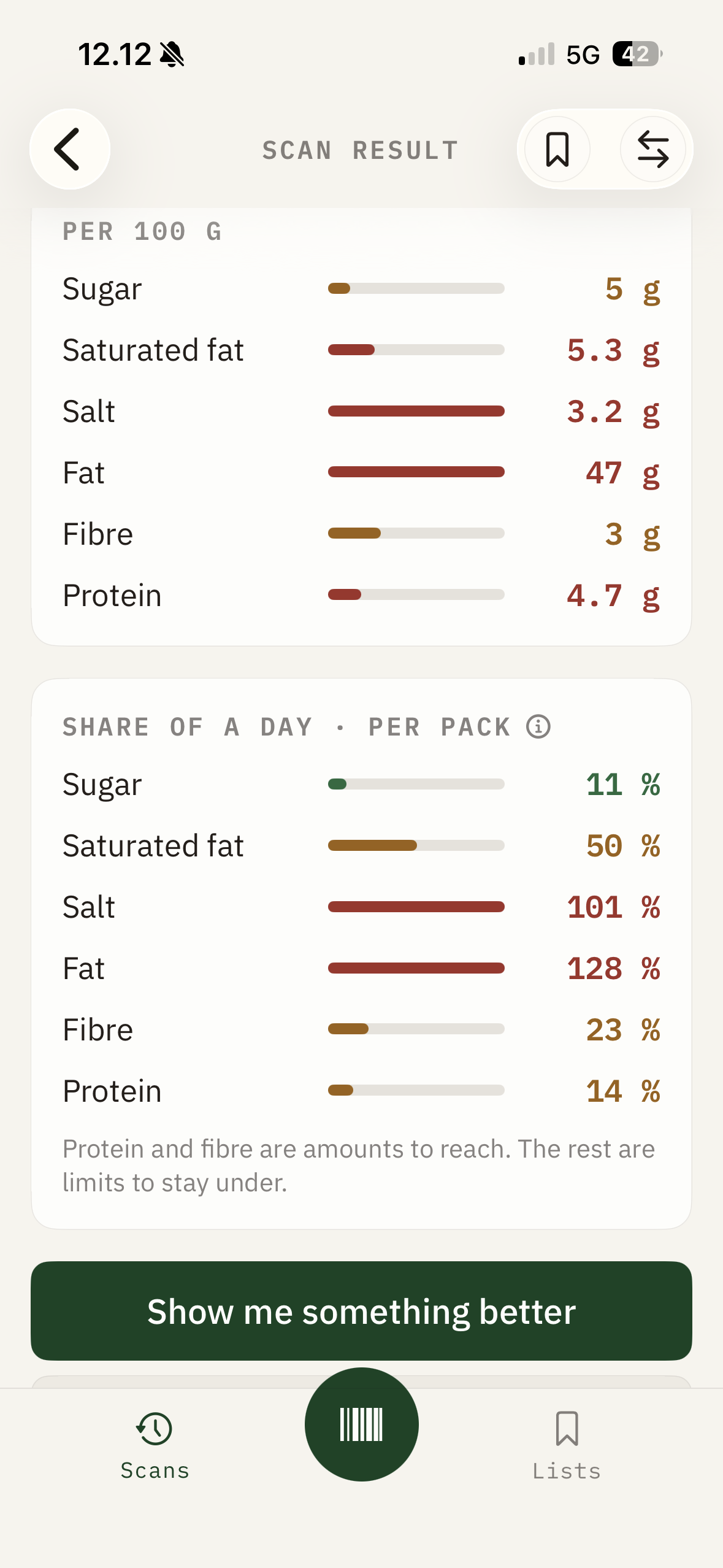
The portion you'll actually eat
So “1.0 g of salt” becomes “17% of your day” — no arithmetic, no per-100-g abstraction. Protein and fibre are amounts to reach. The rest are limits to stay under.
And when Nutri-Score and NOVA disagree about a product, we show you both and explain why both are right.
Share of a day · per pack
190 g · one jar
Fibre and protein read as shortfalls here — marked low, never marked as danger.
iPhone & iPad · Requires iOS 17 · No scan history sold, ever